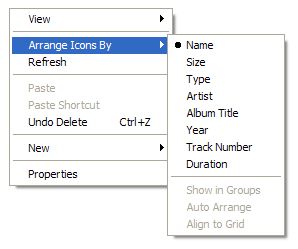
I often find myself browsing through my external hard drive through my music. I always looks for the latest songs I’ve downloaded but I tend to forget what’s new. I find the easiest way to find my new stuff is to sort by Date Created, however, the right-click Arrange Icons By menu doesn’t offer Date Created by default:
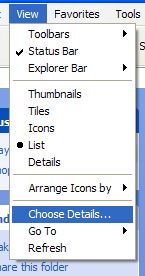
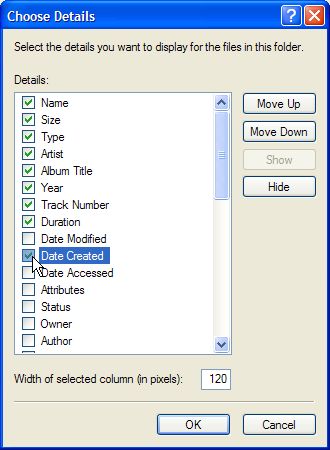
It’s easy to add this to the menu though. Just go to View > Choose Details … and check Date Created:
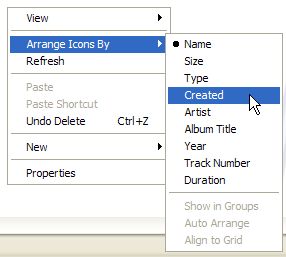
Now when you right-click in the folder, you can choose Arrange Icons By > Created:
Hi Mark,
ThanX for your detailed hint.
Have a look at this free tool:
http://www.tag2find.com/
Hope it helps
Best wishes
Andreas
“Ability is nothing without opportunity.” – Napoleon Bonaparte
thanks very much, this helped me out big time!
This is exactly what I was looking for. Very helpful for us music junkies, thanks!!
awesome, this helped me thanks !